Featured Post

We've moved to tex.my!

It’s been great writing on Blogger.com, but we’ve decided to move to a new platform, thanks to some valuable help from a great, great friend...

Thursday, December 29, 2011

Happy New Year! Fireworks with TikZ

TEX wizards recently demonstrated how you can draw fireworks with TikZ:


(There’s also an earlier Q&A about drawing Christmas trees.)

Geeky DIY Christmas and New Year cards, anyone? :-)

Monday, October 17, 2011

English Translation of ChinaTeX’s Interview

I’ve finally gotten round to translating ChinaTeX’s interview with me (originally in Chinese) into English. It’s not a word-for-word translation, but I made sure the main points are preserved.

Saturday, October 15, 2011

Fixing the Biolinum Font in Beamer

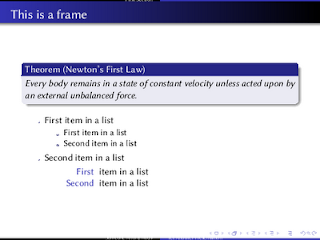
The libertine package provides LaTeX support to the Linux Libertine and Linux Biolinum fonts. The package release dated 2011-06-06 contains a bug, in which the ex unit value of the san serif font, Linux Biolinum, is not set correctly. This causes problems if the libertine package is used in a beamer presentation:


Notice how the heights of the headline and footline coloured boxes are almost zero. The same thing happens to the itemized and enumerated list markers, too.

A bug report has been filed with the LinuxLibertine project, but it’s still open at the time of writing.

In the meantime, Ulrike Fischer and Robin Fairbairns have provided an interim solution by resetting the ex value in the .fd files. Here’s what I did following their suggestions.

Locate the Biolinum .fd files, which should be in $TEXMF/tex/latex/libertine/ . I usually work with T1 encoding, so I homed in on the files t1fxb.fd, t1fxbf.fd, t1fxbj.fd, t1fxbjo.fd and t1fxbo.fd. (All these files, because sometimes I want the old-style numbers fonts.) I then added the code in red below for each m-n series-shapes:

\DeclareFontShape{T1}{fxb}{m}{n}{
<-> \fxl@@scale fxbr-t1
}{\fontdimen5\font=\fontcharht\font`\x}

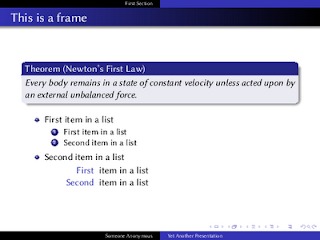
I didn’t bother with the \DeclareFontShape of other series-shapes, as the above seems to have fixed the problem for me:


So hopefully this’ll help anyone else who’s run into a similar predicament. Thanks again to Ulrike and Robin for the solution.

Monday, September 26, 2011

ChinaTeX Interview

As you may guess from the name, ChinaTeX is a TeX resources website from China. They’ve done a good job rounding up TeX resources from around the Web, and translating them to Chinese for the benefit of Chinese users. Their latest endeavors over the weekend was to provide video tutorials.

Recently ChinaTeX approached me for an e-mail interview. We talked mainly about how I came to know, love and use LaTeX in book design and typesetting. Thanks for the interview, guys! 有空再来坐坐、交流,谢谢!

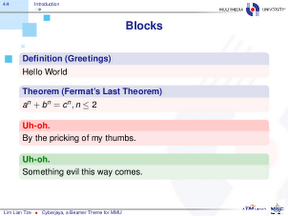
Cyberjaya, an MMU Beamer Theme

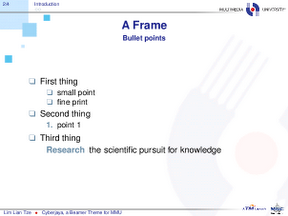
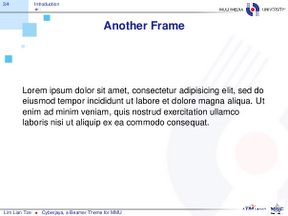
And here’s Cyberjaya, a Beamer theme based on Multimedia University’s (MMU) colours. (Cyberjaya, Selangor, Malaysia is where MMU’s main campus is located.)

Screenshots and download link:


Brief example using the theme:

\documentclass[compress]{beamer}
\usetheme{Cyberjaya}

\author{This is Me}
\title{This is My Presentation}

\begin{document}

\begin{frame}[plain,t]
\titlepage
\end{frame}

\begin{frame}
\frametitle{First Frame}
My content
\end{frame}

\end{document}

Wednesday, September 21, 2011

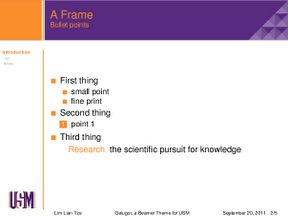
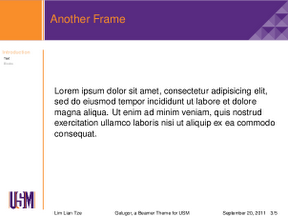
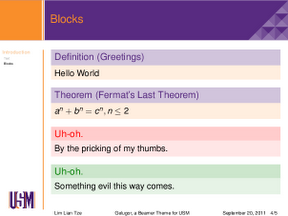
Gelugor, a USM Beamer Theme

Just last week, I had another Beamer-related inquiry from a postdoctoral fellow at the School of Mathematical Sciences, Universiti Sain Malaysia (USM). Was it possible to have a Beamer theme modelled after USM’s Powerpoint template?

I came up with Gelugor over the weekend. (Gelugor, Penang, Malaysia is the town where USM’s main campus is located.)

Screenshots and download link:


Brief example using the theme:

\documentclass{beamer}
\usetheme{Gelugor}

\author{This is Me}
\title{This is My Presentation}

\begin{document}

\begin{frame}[plain,t]
\titlepage
\end{frame}

\begin{frame}
\frametitle{First Frame}
My content
\end{frame}

\ThankYouFrame

\end{document}